
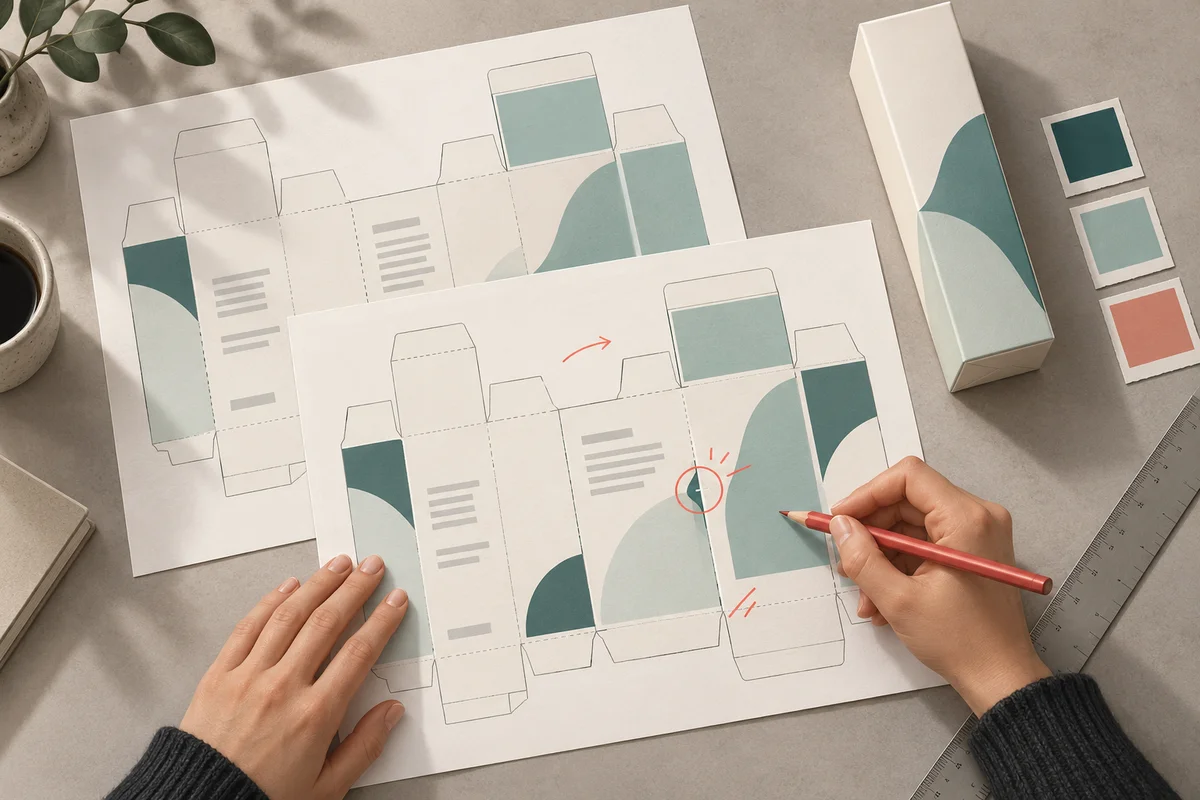
A carton proof can look finished while still carrying an old ingredient list, the wrong pack size or comments from two different reviewers. Cosmetic packaging artwork approval is the point where a brand team turns a design file into a clearly identified instruction for the people who will print or decorate the pack. The useful question is not simply whether the design looks attractive. It is whether everyone is reviewing the same product, component and revision, with the right checks completed.
This guide offers a practical review method for brand owners working with designers, suppliers and printers. It covers file control, useful comments, proof checks and the final handover. It is not a complete labelling-compliance checklist or an approval of any product. A suitably qualified reviewer must confirm the requirements and claims for the particular product and destination market.
Start with a review cover sheet, not a loose PDF
Give every artwork review a small cover sheet that travels with the proof. It can be a spreadsheet row or a page in the project folder. Its purpose is to remove the questions that otherwise get answered differently in email, chat and design software.
- Product name and internal SKU, including the size, variant and intended market.
- Component being reviewed: bottle label, tube print, carton, insert or another identified part.
- Artwork revision, file name, date and the revision it replaces.
- Component drawing reference and the current approved text reference.
- What this round is checking, who needs to respond and which questions remain open.
For example, “Cleanser / 150 mL / carton / market A / artwork R04” is more useful than “latest box final”. The example is only a naming pattern, not a product specification. Use the same identifier in the PDF, comment log and approval message. If a supplier uses a different component code, record both codes so the relationship is visible.
Keep review status separate from the file name. “For review”, “changes required” and “released for printing” describe different states. A file called final should not acquire production approval merely because somebody downloaded it. Nominate one coordinator to distribute the current review file and collect decisions.
Check the inputs before correcting the design
A designer should not have to choose between an ingredient list in an old presentation and a newer list in a supplier email. Before review starts, identify the approved source for each text area. The relevant product or technical owner should supply the current information; the artwork reviewer should compare against it rather than recreate it from memory.
Typical inputs include the product descriptor, net contents, directions, warnings, ingredient information, responsible-party details, approved claims, language versions and coding requirements. Which items apply, how they are expressed and where they belong depend on the product and market. Do not use this list as a substitute for qualified regulatory review. The FDA Cosmetics Labeling Guide, for example, addresses U.S. requirements; it is not a universal template for Indian or export packaging.
Also confirm that the drawing belongs to the component actually being ordered. A layout prepared for one bottle or carton is not automatically suitable for a similar-looking replacement. Ask the component supplier or printer to confirm the current drawing, printable areas and any process-specific restrictions. Our packaging compatibility guide addresses the separate question of whether the formula and pack work together.
Give each reviewer a specific question
Sending the same file to five people with “please check” can produce five colour opinions and no reliable text review. Assign review responsibilities before circulation. One person may hold several roles in a small business, but the checks should still be distinct.
- The brand reviewer checks product identity, approved design elements and consistency across the range.
- The product-information owner checks the text against its approved source and identifies unresolved inputs.
- The qualified market reviewer checks applicable labelling and claims requirements.
- The printer or packaging specialist checks production suitability, dimensions and technical file requirements.
- The coordinator confirms that comments are resolved and the correct revision reaches the release decision.
Record what each person approved. Approval of spelling is not approval of a claim; approval of colour is not approval to manufacture. Where a reviewer cannot assess something, write “not assessed” and assign it to the right person. An empty box should not be interpreted as agreement.
Write comments that can be closed
Useful artwork comments identify a location, describe the problem and specify the action or question. “Please improve the back panel” leaves the designer guessing. “Back panel, directions paragraph: compare the second sentence with approved text C03; the wording differs” points to a checkable task without inventing replacement copy.
Use one comment register for a review round. Give each item a number, the component and panel, the requested change, its source or reason, an owner and a status. Link a screenshot when location is hard to describe, but keep the original wording in editable text too. A screenshot alone can be misread, especially at small scale.
When two reviewers disagree, the coordinator should resolve the conflict before the designer produces another proof. Do not let the designer choose between two different directions for use or two incompatible translations. Record the decision and its owner. If the answer changes approved product information, update that source first so the same correction does not return in a later round.
Review the new proof in two passes
Pass one: reconcile every requested change
Take the comment register from the previous round and check each item against the new proof. Mark an item closed only when the requested correction is present and its result has been checked. “Designer says done” is a useful update, but it is not the review itself. If the change was rejected, record the reason and decision rather than silently deleting the comment.
Check connected components together. A revised product descriptor on the carton may still differ from the bottle label. A corrected quantity in one language may remain wrong in another. A replacement barcode may appear on the carton while the old one remains in a label file. Track these linked changes as a group.
Pass two: read the complete artwork again
After checking the changes, review the entire current proof. Text can move or wrap when a paragraph is corrected, and a panel can be crowded when an additional line is inserted. Read headings, units, punctuation and numbers deliberately rather than relying on familiarity with the layout. Compare each SKU with its own source, not just with the neighbouring design.
For multilingual packs, ask an appropriate language reviewer to check meaning and layout in context. A translated paragraph can be correct in isolation yet be attached to the wrong heading or truncated in the design. A brand reviewer who cannot read that language should not sign off its accuracy.
Separate screen checks from physical proof checks
A screen proof is useful for layout and text, but specify what kind of proof is being approved. A PDF, a colour proof, a folded dummy and a decorated component answer different questions. Agree with the printer which evidence is needed for the actual materials and print process, and document any limitation rather than assuming every proof represents the finished pack.
Review text at intended physical size, not only at high zoom. Use a correctly scaled print or suitable physical proof when assessing readability and panel relationships. Look at how the component is folded, wrapped or assembled. Check whether the intended reading area is affected by a seam, curve, flap or closure. The printer should confirm the relevant tolerances and production constraints; avoid applying a universal margin from an unrelated template.
Colour and finish decisions also need a defined reference. State which approved proof or sample the team is comparing with, and what it represents. If a screen image is the only reference, do not describe physical colour or finish as verified. If the material or printing method changes, ask whether the earlier evidence still applies.
Treat codes and variable information as separate checks
Confirm that any barcode corresponds to the intended item and that its placement, size and clear surrounding area have been assessed for the chosen format. Do not casually stretch a barcode to fit an empty space. GS1 US guidance on placement and printing explains why proportions, clear areas and production quality matter. Use the applicable GS1 guidance and specialist review rather than treating a visual check as verification.
Artwork review is also different from checking a final printed code. GS1 Australia distinguishes interim artwork assessments from final-sample verification. That distinction is useful when recording evidence: say whether the result relates to a digital or printed proof, or to the finished formed package. A successful phone scan alone should not be presented as a complete barcode-quality assessment.
Where batch, date or other variable information will be added later, identify the intended space and ask the responsible production team how it will be applied and checked. Do not insert a sample batch number or date into production artwork as if it were real. Keep illustrative data clearly separate from the released file.
Use a release record that names the exact files
Once the required reviews are complete, create a short release record. It should identify the SKU and component, exact artwork revision and file name, approved text and drawing references, proof evidence, named decisions and any remaining condition that prevents release. Resolve those conditions before authorising the affected production step.
Send the released files through the agreed route and ask the receiving team to confirm the revision received. Retain the approved proof and approval record alongside the source file. Keep earlier revisions in an archive marked superseded, outside the folder used for current production. This can be done in an orderly shared folder; buying an artwork platform is not a prerequisite for basic control.
Avoid a release message that mixes approved and draft attachments without explanation. If there are several components, list each one explicitly. A carton and bottle label can have different revision numbers while still belonging to the same release. The relationship needs to be recorded, not guessed from similar file names.
When a late change arrives, reopen the affected checks
Consider an illustrative case: the carton is approved, then the pack size changes. Updating the number on the front is only the first step. The team needs to determine which text, component drawing, barcode assignment, translations and proofs may be affected. The appropriate owners decide the scope of review; the coordinator records that decision and issues a new revision.
If files have already reached a printer, contact the responsible supplier promptly through the agreed process to establish the actual production state and what can still be changed. Do not assume an email correction has stopped printing, and do not promise that a change has no cost or timing effect. Keep the old release, the change request and the replacement decision linked.
Artwork release does not replace formula approval, packaging compatibility work or production quality checks. Keep these records connected but separate. A project that is still defining its requirements may need the product development brief checklist before it reaches a meaningful artwork release decision.
Questions brand teams often ask
Can one person approve everything?
One person can coordinate the process, but should approve only the areas they are competent and authorised to assess. Record specialist input where needed. A small team still benefits from separating text, market, design and production checks.
Is a WhatsApp approval enough?
The communication channel is less important than the clarity and retention of the record. A reply saying “looks good” without the exact file, revision and purpose is ambiguous. Capture the relevant decision in the project record and follow any approval requirements agreed with your supplier.
Does approval mean the artwork can never change?
No. It means there is an identified approved version. A later change should create a traceable revision and a decision about which checks must be repeated. Keep superseded files for reference without allowing them to circulate as current instructions.
What should we prepare before contacting La Med?
Prepare the product category, intended market, component types, current stage, available drawings and the questions you need answered. Use the La Med enquiry page to discuss the scope. Ask which services, responsibilities and deliverables apply to your project rather than assuming artwork, regulatory review or printing is included.
A useful cosmetic packaging artwork approval process leaves a clear answer to three questions: what was reviewed, what remains unresolved and which exact files may be used next. Establish those answers before the handover, and keep them visible when the project changes.